The Idiot made a Smart Mirror
Building a MagicMirror² display with a Raspberry Pi, a two-way mirror, and a salvaged monitor.
I’d toyed around with MagicMirror² before. A friend had dissected an old laptop and made a smart mirror with reflective film and a picture frame — all items he had lying around. It didn’t quite hit his mark for quality, but the idea stuck with me.
Note: This post is a work in progress. It could use more photos and detail — consider it a living document.
Parts List
- Raspberry Pi 3 B+
- Power Supply for Raspberry Pi
- 32GB MicroSD Card
- Two-Way Mirror, 12″ × 24″
- 20″ Monitor — picked for low cost and built-in speakers
- Plate Hangers — more on these below
- Black Electrical Tape
The Software
I’d recommend getting comfortable with Raspberry Pi basics and SSH before starting. It makes the whole process much smoother.
MagicMirror² requires a full Raspberry Pi OS install (with desktop). Flash it to your SD card using Balena Etcher, boot the Pi, and connect to your network.
As the standard pi user (not root), run the MagicMirror installer:
bash -c "$(curl -sL https://raw.githubusercontent.com/MichMich/MagicMirror/master/installers/raspberry.sh)"Follow the prompts. I’d recommend letting it replace the boot screen and configure MagicMirror to launch at boot.
Once running, the default modules load automatically. Configuration lives at:
~/MagicMirror/config/config.jsA large library of third-party modules is available here. I’ve also written a couple of my own: MMM-CAH-RSS and MMM-GFDA.
The Hardware
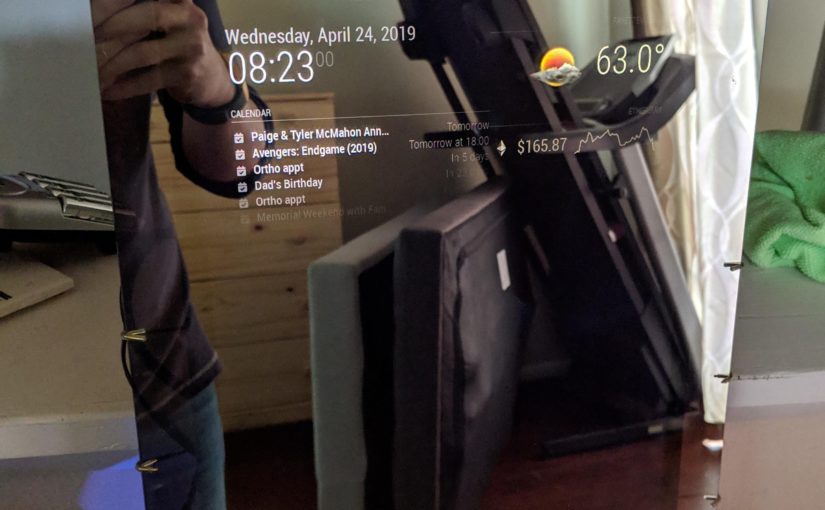
The real trick to a smart mirror is making the hardware disappear. I carefully removed the plastic bezel from the monitor, leaving just the panel and internals. Black electrical tape around the screen edges prevents light bleed and adds some friction when pressing against the glass.
For mounting the monitor to the mirror: I used plate hangers. Odd choice, I know — but they hold the monitor firmly against the glass while keeping everything modular. I can swap the monitor without touching any glue or cutting a new frame.
The back is admittedly a mess. But it works, and that counts for something.
What’s Next
The mirror is currently on a stand. Still working on:
- A proper wall-mount solution
- Cable management
- PIR sensor so the display sleeps when no one’s nearby
- Microphone for Google Assistant integration